
ChatNotr is a chat-first note system.
In plain terms:
It's built for quick capture — passwords, ID numbers, errands, grocery lists, appointments, ideas, links, and other small everyday things you'll need later. Not long-form notes or documents.
No. ChatNotr is built for quick capture — the small, everyday things you need to remember: ideas, appointments, tasks, grocery lists, passwords, and short notes. It is not designed for long-form writing, documents with images, or notes with links and rich formatting.
If you need to write an essay or build a knowledge base, a tool like Notion or Google Docs is a better fit. ChatNotr is your memory assistant, not a document editor.
Most note and to-do apps are built for structured, long-form content - documents, wikis, and detailed project pages. ChatNotr is different. It's built for the small stuff: quick thoughts, tasks, appointments, and things you need to remember but don't want to think about organizing. Just say what's on your mind and it handles the rest. Ask for anything later when you need it.
That said, ChatNotr and your other note apps work well together. If you have a long document saved somewhere - a Google Doc, a Notion page, a file on your phone - you can pin a quick note in ChatNotr to remind yourself where it is. Instead of hunting through folders trying to remember where you saved something, just ask ChatNotr. It'll tell you exactly where you put it.
ChatNotr is for people who think faster than they organize.
Nope. You don't need to memorize any special commands. Just talk to ChatNotr like you would to a friend and say what you want. The AI can usually understand your intention, but being a bit precise helps. For example, say "save to my notes," "create an appointment," "I have a task," or "make me a list." If it ever doesn't get it, just explain a little more, and it will understand and learn.
You can continue using ChatNotr even without credits or a subscription. You can check this guide to see how they work.
Note: Chat features are unavailable in free mode, and ads may be shown during use.
ChatNotr offers two ways to access premium features: credits and a subscription. Currently, only the credit system is available.
Credits are a one-time purchase — you buy what you need and use them at your own pace. They don't expire, so there's no pressure to use them up.
A subscription gives you unlimited access on a monthly basis — no credit counting, no running out. It's ideal if you use ChatNotr regularly and want a worry-free experience.
You don't have to choose one over the other either. Both options are available, so you can go with whatever works best for you.
For more details, see our pricing page.
Turn on delete mode using the toggle in the top right of your screen. Once on, swipe left on any sticky to delete it, or swipe right to edit it.
For more details, see How to Edit or Delete a Sticky.
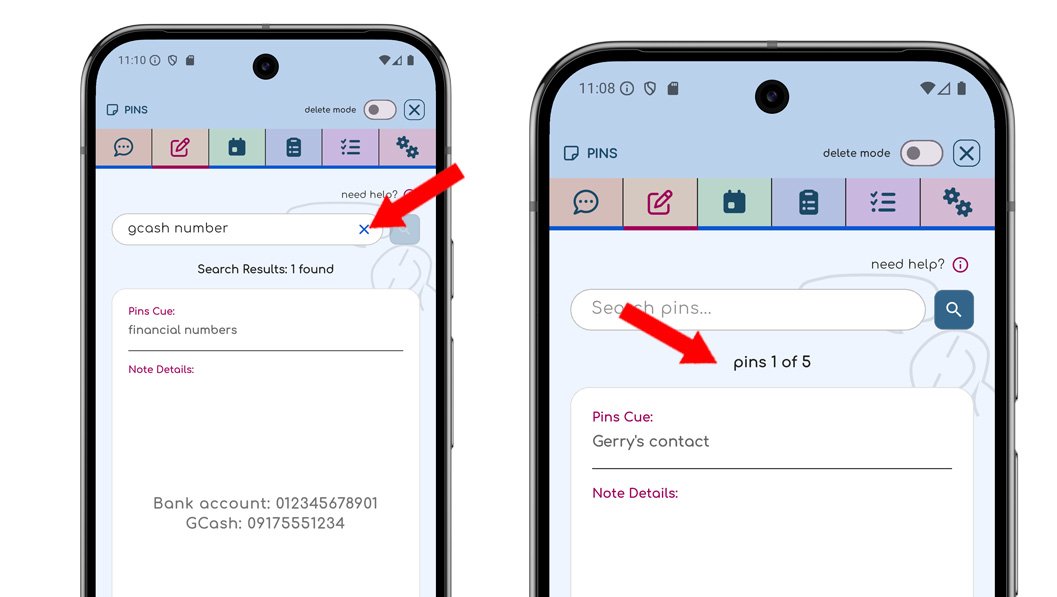
When you add, edit, or search for a sticky, ChatNotr filters your notes and shows only matching results. This is so you can immediately see what was added or updated. Your notes are not deleted. Clear the search or filter to view all your stickies again.
Yes. All your notes, tasks, and chats stay on your device. They never leave your phone. The only information stored on our servers is your email and subscription status for checking the validity. Your data is safe and payments are handled securely by Google Play. Your information is also protected when it travels over the internet, using the same strong security that banks and online stores use. Even on public WiFi, sensitive details like passwords or notes are never stored by ChatNotr.
We do not read or access your chats, notes, or saved information. Everything you write stays stored locally on your device and remains private.
One tradeoff of this privacy-first approach is that ChatNotr currently does not offer traditional cloud backups. Standard backup systems would require temporarily storing encrypted data online, and we chose not to implement that until it can be done securely and transparently.
Because of this, we currently cannot help recover your notes if they are deleted, if ChatNotr is uninstalled, or if data becomes corrupted during an update.
To improve reliability while preserving privacy, we are planning a temporary encrypted backup system for updates and app reinstalls. The backup would exist only briefly - it would automatically expire and be deleted after one hour, or be deleted immediately once your newly installed app successfully restores and syncs your data.
The goal is to ensure your private information remains encrypted and inaccessible to anyone except you. We will clearly inform users once this feature is implemented and explain exactly how the temporary backup process works.
Messages sent to ChatNotr are processed by OpenAI to understand your request. However, notes you save are stored locally on your device and are not uploaded as saved data to OpenAI servers.
For highly sensitive information, you can keep the actual value completely private. Instead of typing the secret itself, say what you want to save (for example, “save my Gmail password”). When prompted for the value, reply with something like “keep it private” or “I'll enter it myself.” ChatNotr will open a secure local form so the secret is entered directly on your device and bypasses the AI entirely.
The AI's job is simply to understand your requests. ChatNotr itself handles your notes, tasks, and reminders, which stay stored on your device. The AI helps interpret commands, but it does not manage or keep your saved data.
The AI is stateless, meaning it does not remember past conversations or maintain its own database of your information. In fact, the AI doesn’t inherently know who it is talking to. ChatNotr simply provides the minimum context needed for the current request, while your stored information remains managed locally by the app itself.
For example, if you ask, "What is my YouTube password?", the password is not revealed in the chat itself. Instead, ChatNotr opens a secure form to display it locally on your device. This is because the AI only converts your message into a command the app can understand, while the app itself is responsible for retrieving and displaying private information securely.